How to Make a Flyer with AI
AI Tapz Team · October 20, 2026
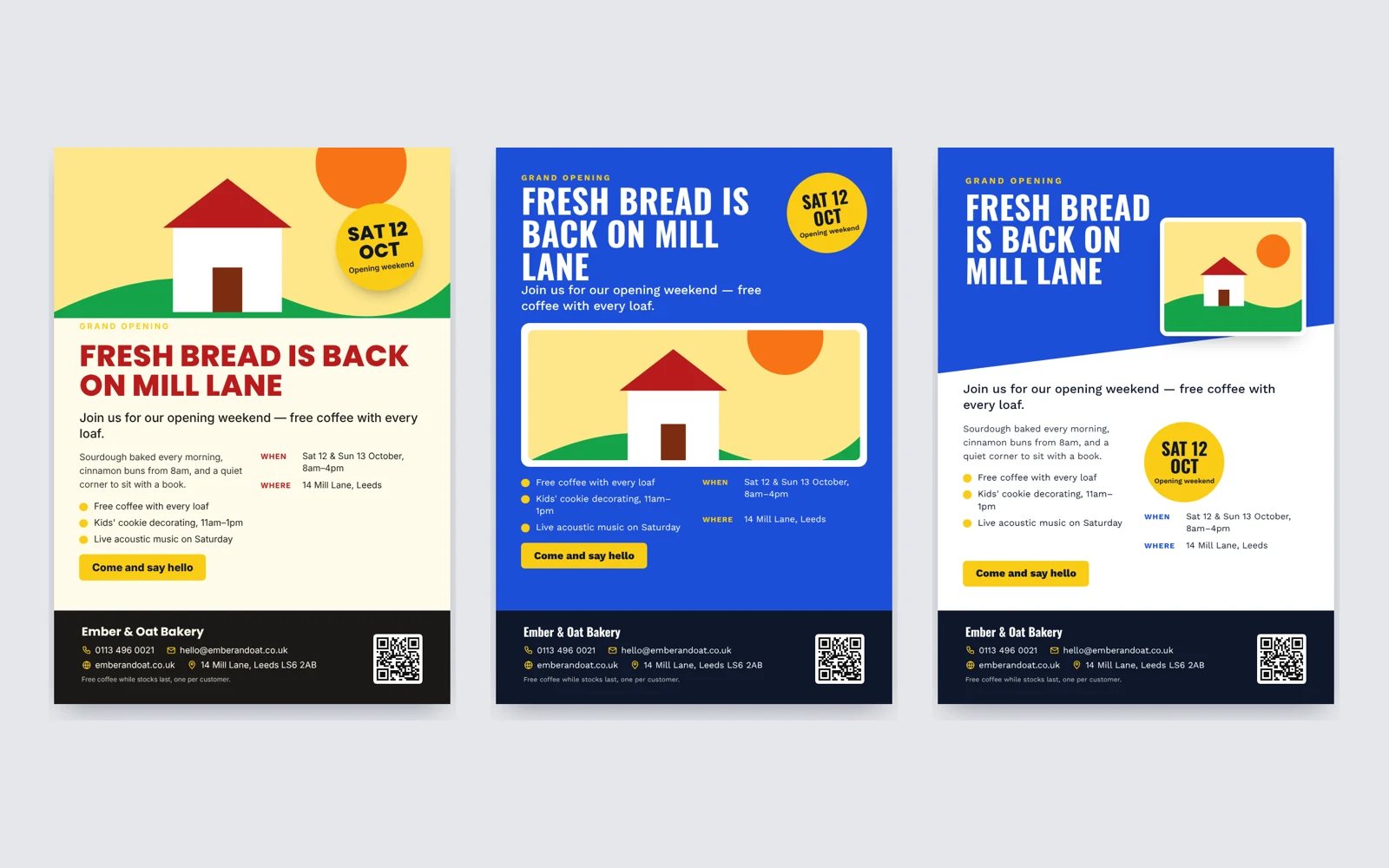
A flyer gets a few seconds of attention: on a noticeboard, a shop counter or a WhatsApp chat. In that time it has to say what is happening, when and where, and why someone should care. Here is how to write and design one that works, and how to make it in minutes with the AI Flyer Maker.
1. Start with the facts
Before any design, write down everything the flyer must show: what it is, the date and time, the place, the price or offer, and how to get in touch. A flyer with a beautiful layout and the wrong date does more harm than no flyer at all.
2. One message, said big
Every good flyer has one headline that can be read from across the room: "Grand Opening", "Summer Sale", "Yoga in the Park". Under it go a short line that adds the key detail, a few points of what's included, and the when and where. Put the single most important thing, such as "30% OFF" or "SAT 12 OCT", in a badge that stands out. End with a call to action: book, call, visit.
Fewer, stronger words beat more. If people have to read a paragraph to understand it, most won't.
3. Get the print details right
- Size. A4 suits noticeboards and shop windows, A5 suits handouts and letterboxes, and US Letter is standard in the US and Canada.
- Bleed. Colour that runs to the edge must extend about 3 mm (0.125 in) past the cut, or a thin white line can appear after trimming.
- QR code. A QR code to your website lets people act on the spot. Give it a clear, light area so phone cameras can read it.
- Proof. Check every date, time, price and phone number before you print.
4. Design it with AI
In the AI Flyer Maker you choose the kind of flyer (an event, a sale, a grand opening, a menu, a class, a service, a property or a job opening) and describe it in your own words, including every fact it must show. Then you add your business name, phone, email, website and venue, pick the paper size, a QR code, and a style and colour direction, or let the AI choose.
The AI writes the words once, using only the facts you gave. It never invents dates, prices or addresses, and leaves a part out rather than guess. It then designs three different flyers with those words: a big picture on top, full colour with a huge headline, a colour column, framed and centred for invitations, or an angled colour header. Each design gets its own picture: a real stock photo from Unsplash when a good match is found, with the photographer credited, or a simple drawn illustration.
Pick a design and it opens in your Library. Click any word to change it, upload your own photo of your food, shop or product, recolour it, or ask the AI for a change.
5. Print and share
Download a print-ready PDF at A4, A5 or US Letter with the bleed already added, for your own printer or a print shop. To share it online, download a PNG or JPG for WhatsApp, social media or email.
Where to start
Open the AI Flyer Maker and describe your flyer. To match your branding, design a logo with the AI Logo Maker and cards with the AI Business Card Maker. The other tools are in AI Services.