How to Plan Social Media Posts with AI
AI Tapz Team · October 20, 2026
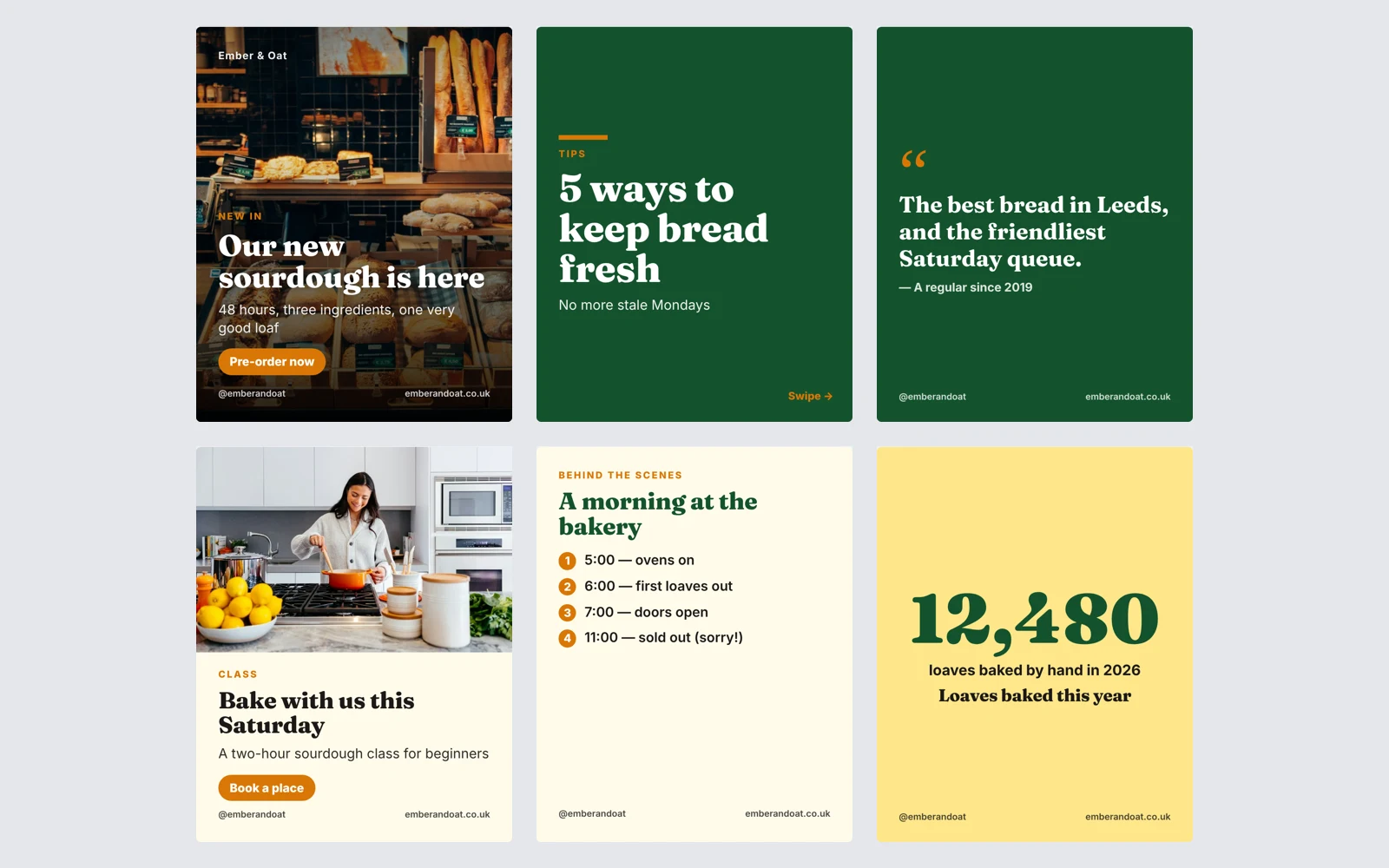
Most small businesses know they should post regularly. The hard part is doing it week after week: deciding what to say, making an image the right size for each platform, writing a caption that fits, and remembering to post. Here is how to plan a month of posts that work, and how to make the whole pack in minutes with the AI Social Media Post Generator.
1. Plan themes, not single posts
A feed that only says "buy now" gets ignored. Pick three to five themes and rotate them: tips your customers can use, behind the scenes, your products or offers, customer stories, and a question that invites replies. Mixing themes keeps neighbouring posts different and gives people a reason to follow.
2. Use the right size and format for each platform
- Instagram and Facebook feeds favour tall portrait images (1080 × 1350). Stories are 1080 × 1920.
- LinkedIn works well with square images, and carousels are uploaded as a PDF document.
- X suits wide 16:9 images, and captions must fit in 280 characters.
- Pinterest uses tall 2:3 pins with a keyword-rich description instead of hashtags.
Carousels — several slides in one post — are one of the best formats for tips and step-by-step advice, because people swipe through and save them.
3. Write captions that work
Lead with a strong first line, keep it as short as the platform rewards, and end with one clear call to action. Use a few relevant hashtags rather than a wall of them. Add alt text so people using screen readers know what the image shows. And only state facts you can stand behind: prices, dates and offers must be exactly right.
4. Make the pack with AI
In the AI Social Media Post Generator you choose from drop-downs: the platform (Instagram, Facebook, LinkedIn, X, Pinterest, TikTok photo posts, Threads, WhatsApp Status, YouTube thumbnails, or all the main platforms at once), how many posts — 5, 10 or 30 — the format (single images, carousels, stories, quote cards or a mix), your goal and your tone. Then you describe your business and what the posts should say.
The AI plans the pack: one consistent look, and every post's format, theme and headline. Change anything in the chat before you go ahead. Then it writes every caption for that platform, with hashtags and alt text, and designs every post at the platform's exact size, with real stock photos from Unsplash where they fit and a posting plan with a date for each post. It uses only the facts you give and never invents prices, dates or testimonials.
5. Edit, download and schedule
Open the pack in your Library to change any word or photo or recolour every post. Then download each post's images as PNG or JPG at the exact size, a carousel as a PDF for LinkedIn, or the whole pack as a ZIP with a captions file you can import into a scheduling tool such as Meta Business Suite, Buffer or Hootsuite.
Where to start
Open the AI Social Media Post Generator and describe what you want to promote. For posters and handouts, try the AI Flyer Maker; to match your branding, design a logo with the AI Logo Maker. The other tools are in AI Services.