Email sequences you can re-aim at any audience
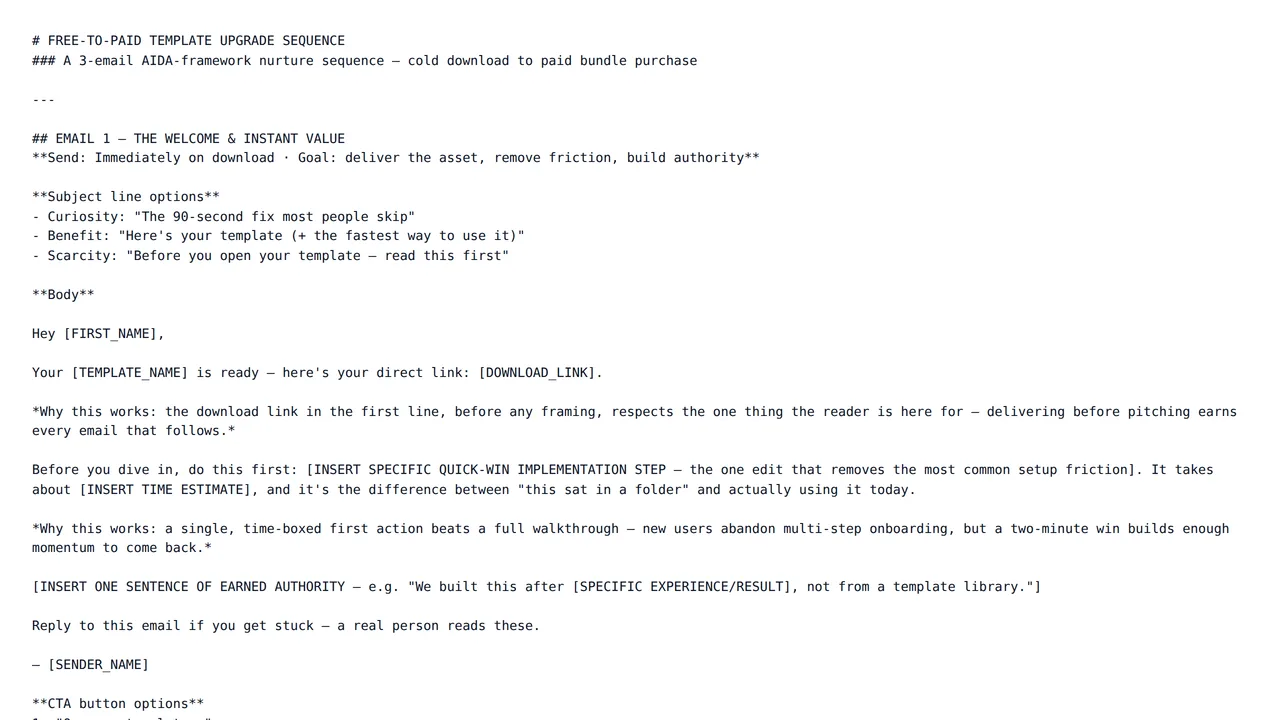
A sequence works because each email has one job and they build on each other. Buy a sequence with that logic already worked out, then rewrite every email for your product, your list and your voice — one email at a time.
Who these templates are for
Built for founders running their own onboarding emails, B2B sales teams running outbound, and marketers who need a nurture track live this week rather than next quarter.
Each email is its own section, so you can sharpen the subject line and opener of email three without touching the follow-ups around it — and keep the sequence's overall arc intact.
Onboarding sequences
Welcome, first-value and activation nudges that walk a new user to their first win.
Cold outreach
A short intro, value-led follow-ups and a polite break-up email, each rewritable per prospect segment.
Nurture tracks
Educational emails that move a subscriber from interested to ready to buy.
Re-engagement
Win-back emails for inactive customers or subscribers, from gentle check-in to last call.
How to buy with your wallet
Everything on the marketplace is paid for from a single platform wallet. You top it up once, then spend from the balance — on templates and on AI edits alike.
- 1
Add credit to your wallet
Top up once from your wallet page via Stripe. Credit sits in your balance until you spend it — there is no subscription and no card stored against each purchase.
Open your wallet - 2
Pick a template and check the live preview
Every listing renders a real sample of the output in a preview window, plus the exact list of sections you will be able to edit after buying.
Browse email sequence templates - 3
Buy — the balance deducts instantly
Free templates are added with one click. Paid templates deduct from your wallet balance and land in your library immediately.
See your library
Before you buy: wallet credit is spend-only and is not automatically refunded. Use the live preview on every listing to check the output first.
How to personalise it with the AI editor
A bought template opens in an editing workspace on the platform, and the AI rewrites it one section at a time — a change to one part never disturbs the others.
- 1
Open the template in your library
Your workspace opens as a split screen: editing controls on the left, a live preview of the result on the right.
- 2
Choose a section
Sections appear as tabs. You edit one at a time, so a long template never becomes a wall of text.
- 3
Describe the change in plain words
Fill in what the section currently says and what you want instead. No prompt engineering, no syntax to learn.
- 4
Generate, review, export
The rewritten section renders in the preview beside you. Regenerate if it is not right, then export when you are happy.
Worked example
You bought a five-email cold outreach sequence written for agencies. You open Email 1 and write: "Currently it pitches design services to marketing managers. Rewrite it to pitch bookkeeping software to restaurant owners, under 100 words." Email 1 rewrites; you then work through the follow-ups the same way.
Popular in Email Sequences
Frequently asked questions
- Do these templates send the emails for me?
- No. The templates produce the email copy — subject lines and bodies — which you then paste into whatever email or sales tool you already use. Nothing on the platform sends mail to your list.
- Can I add or remove emails from a sequence?
- Each email is a separate section you can rewrite, shorten, or simply leave out when you load the sequence into your own tool. If you need an extra step, rewrite an existing email into that new role.
- What does an AI edit cost, and how am I charged?
- Each edit is billed from your platform wallet based on how much AI work that specific edit takes, so a one-line rewrite costs less than regenerating a long section. You are only charged when an edit finishes successfully — if a run fails, nothing is deducted. Every charge appears in your wallet transaction history.
- What happens if a template is not what I expected?
- Wallet credit is spend-only and not automatically refunded, so check the live preview on each template page before you buy. If a template is broken, misrepresented, or breaches our content rules, report it and our team will review it; approved cases are refunded manually by an administrator.
Start with a structure that already works
Browse the category, check a live preview, and make it yours in the same session.