Hiring documents tailored to every role
Every hire needs the same set of documents, and every one of them needs to fit the specific role. Buy a well-structured set once, then rewrite each document for the position, seniority and company you're hiring for.
Who these templates are for
Built for founders doing their own hiring, small HR teams without a recruitment agency, and hiring managers who want a consistent, fair process across roles.
A job description, an interview guide and an offer letter are separate sections — so you can adapt the requirements for a senior hire without touching the benefits wording you've already approved.
Job descriptions
Role summary, responsibilities, requirements and benefits, each adjustable for level and location.
Interview guides
Structured questions and scoring notes so every candidate is assessed on the same criteria.
Offer and rejection letters
Clear, respectful candidate communication for both outcomes.
Onboarding documents
First-week plans and welcome notes that get a new hire productive sooner.
How to buy with your wallet
Everything on the marketplace is paid for from a single platform wallet. You top it up once, then spend from the balance — on templates and on AI edits alike.
- 1
Add credit to your wallet
Top up once from your wallet page via Stripe. Credit sits in your balance until you spend it — there is no subscription and no card stored against each purchase.
Open your wallet - 2
Pick a template and check the live preview
Every listing renders a real sample of the output in a preview window, plus the exact list of sections you will be able to edit after buying.
Browse HR and recruitment templates - 3
Buy — the balance deducts instantly
Free templates are added with one click. Paid templates deduct from your wallet balance and land in your library immediately.
See your library
Before you buy: wallet credit is spend-only and is not automatically refunded. Use the live preview on every listing to check the output first.
How to personalise it with the AI editor
A bought template opens in an editing workspace on the platform, and the AI rewrites it one section at a time — a change to one part never disturbs the others.
- 1
Open the template in your library
Your workspace opens as a split screen: editing controls on the left, a live preview of the result on the right.
- 2
Choose a section
Sections appear as tabs. You edit one at a time, so a long template never becomes a wall of text.
- 3
Describe the change in plain words
Fill in what the section currently says and what you want instead. No prompt engineering, no syntax to learn.
- 4
Generate, review, export
The rewritten section renders in the preview beside you. Regenerate if it is not right, then export when you are happy.
Worked example
You bought a job description template written for a mid-level marketing role. You open the Requirements tab and write: "Currently it asks for 3–5 years of B2B marketing. Rewrite it for a junior hire with 0–2 years, open to career changers." The requirements rewrite; responsibilities and benefits stay as they were.
Popular in HR & Recruitment
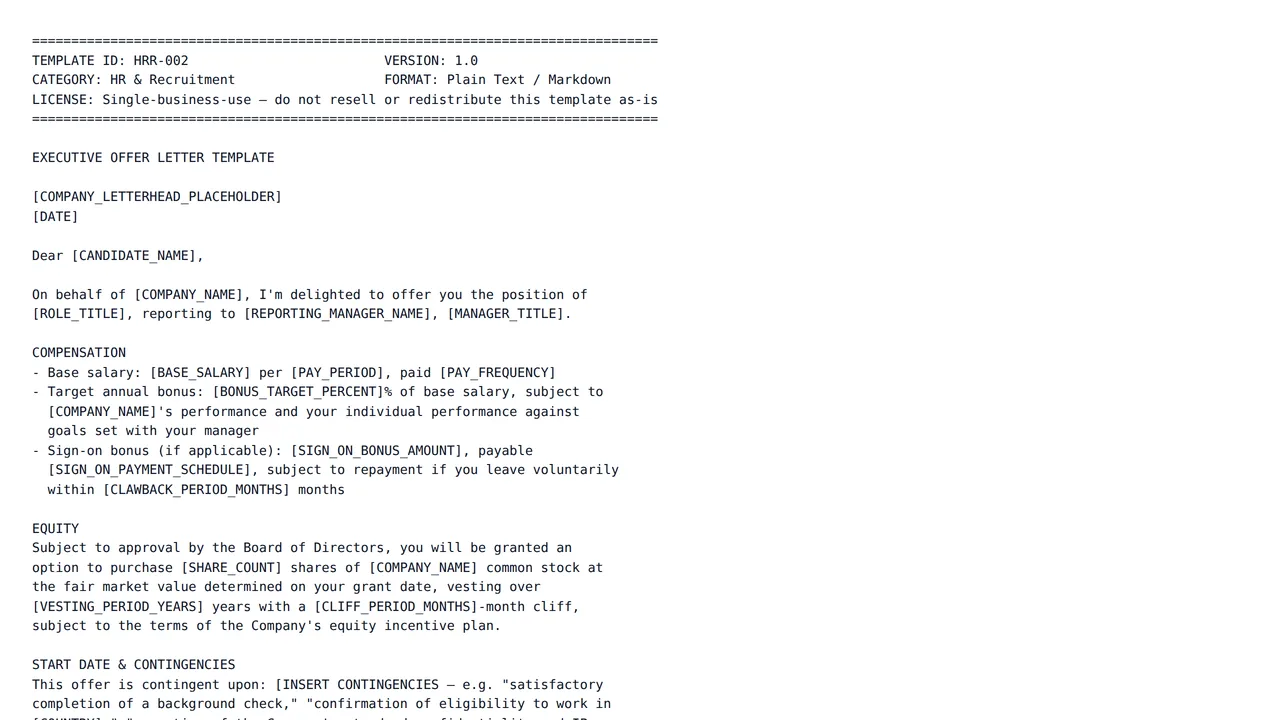
Executive Offer Letter Template with Jurisdiction-Specific Disclaimers
$15.00A complete executive offer letter — role, compensation, equity, contingencies, and start date — with a bracketed disclaimer library covering US at-will, UK notice-period, and EU works-council language so you swap in the right clause for the right hire.
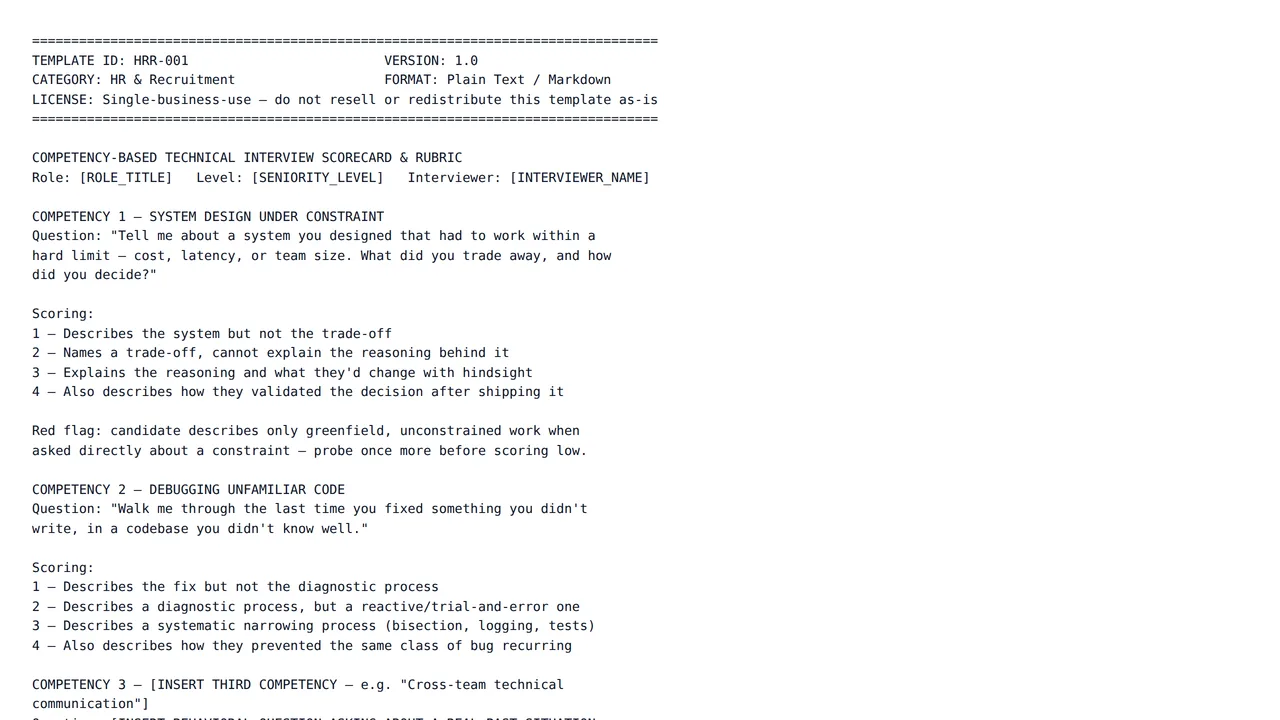
Competency-Based Technical Interview Scorecard & Rubric
$15.00A deep-dive technical-hire scorecard: four engineering competencies, each with a behavioral question, a 1-4 observable rubric, explicit red-flag notes, and a calibration section for aligning multiple interviewers before the debrief.
Frequently asked questions
- Are these documents legally reviewed for my country?
- No. These are writing templates, not legal advice. Employment rules differ by country and state, so have offer letters, contracts and policy documents checked by a qualified professional before you use them.
- Can I make a job description more inclusive?
- Yes — ask for it directly in the modification box, for example "remove jargon and gendered language, and separate must-haves from nice-to-haves", and review the result before posting.
- What does an AI edit cost, and how am I charged?
- Each edit is billed from your platform wallet based on how much AI work that specific edit takes, so a one-line rewrite costs less than regenerating a long section. You are only charged when an edit finishes successfully — if a run fails, nothing is deducted. Every charge appears in your wallet transaction history.
- What happens if a template is not what I expected?
- Wallet credit is spend-only and not automatically refunded, so check the live preview on each template page before you buy. If a template is broken, misrepresented, or breaches our content rules, report it and our team will review it; approved cases are refunded manually by an administrator.
Start with a structure that already works
Browse the category, check a live preview, and make it yours in the same session.