SOPs your team will actually follow
A usable SOP has a clear purpose, an owner, and steps written so someone new can follow them. Buy that structure, then rewrite each part for your process, your tools and your team.
Who these templates are for
Built for operations managers documenting how the business runs, founders handing work off for the first time, and teams preparing for audits or new-hire onboarding.
Purpose, roles, steps and exceptions are separate sections — so when one tool in your process changes, you update that step alone and keep the rest of the document stable.
Standard operating procedures
Purpose, scope, roles and numbered steps for a repeatable task.
Runbooks
What to do when something breaks, with checks and escalation points.
Checklists
Short, scannable lists for tasks that must be done the same way every time.
Onboarding guides
How a new team member gets set up and what they own from day one.
How to buy with your wallet
Everything on the marketplace is paid for from a single platform wallet. You top it up once, then spend from the balance — on templates and on AI edits alike.
- 1
Add credit to your wallet
Top up once from your wallet page via Stripe. Credit sits in your balance until you spend it — there is no subscription and no card stored against each purchase.
Open your wallet - 2
Pick a template and check the live preview
Every listing renders a real sample of the output in a preview window, plus the exact list of sections you will be able to edit after buying.
Browse SOP and documentation templates - 3
Buy — the balance deducts instantly
Free templates are added with one click. Paid templates deduct from your wallet balance and land in your library immediately.
See your library
Before you buy: wallet credit is spend-only and is not automatically refunded. Use the live preview on every listing to check the output first.
How to personalise it with the AI editor
A bought template opens in an editing workspace on the platform, and the AI rewrites it one section at a time — a change to one part never disturbs the others.
- 1
Open the template in your library
Your workspace opens as a split screen: editing controls on the left, a live preview of the result on the right.
- 2
Choose a section
Sections appear as tabs. You edit one at a time, so a long template never becomes a wall of text.
- 3
Describe the change in plain words
Fill in what the section currently says and what you want instead. No prompt engineering, no syntax to learn.
- 4
Generate, review, export
The rewritten section renders in the preview beside you. Regenerate if it is not right, then export when you are happy.
Worked example
You bought an SOP template for processing customer orders. You open the Steps tab and write: "Currently it assumes orders arrive by email and are logged in a spreadsheet. Rewrite for orders arriving through our online store and tracked in our inventory system." The steps rewrite; purpose and roles stay the same.
Popular in SOPs & Documentation
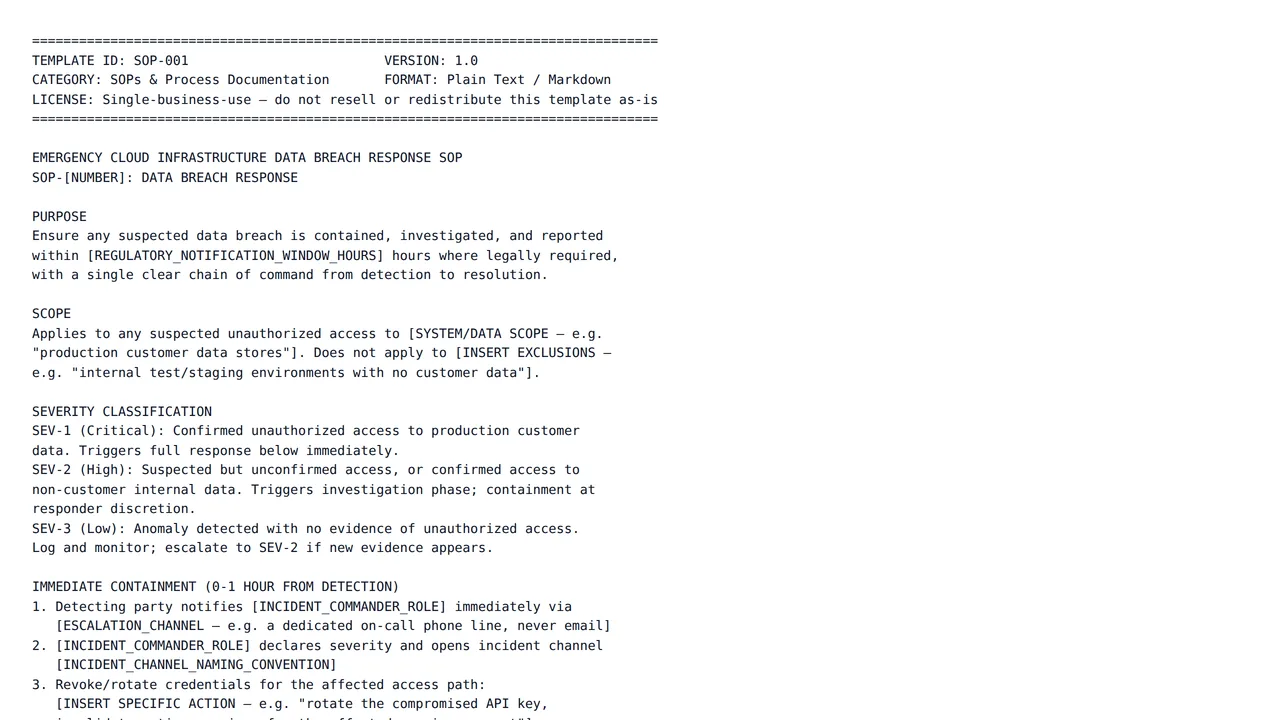
Emergency Cloud Infrastructure Data Breach Response SOP
$15.00A severity-tiered incident response SOP for a cloud data breach: immediate containment steps with time bounds, the investigation phase, legal/compliance notification triggers, and a post-incident review structure.
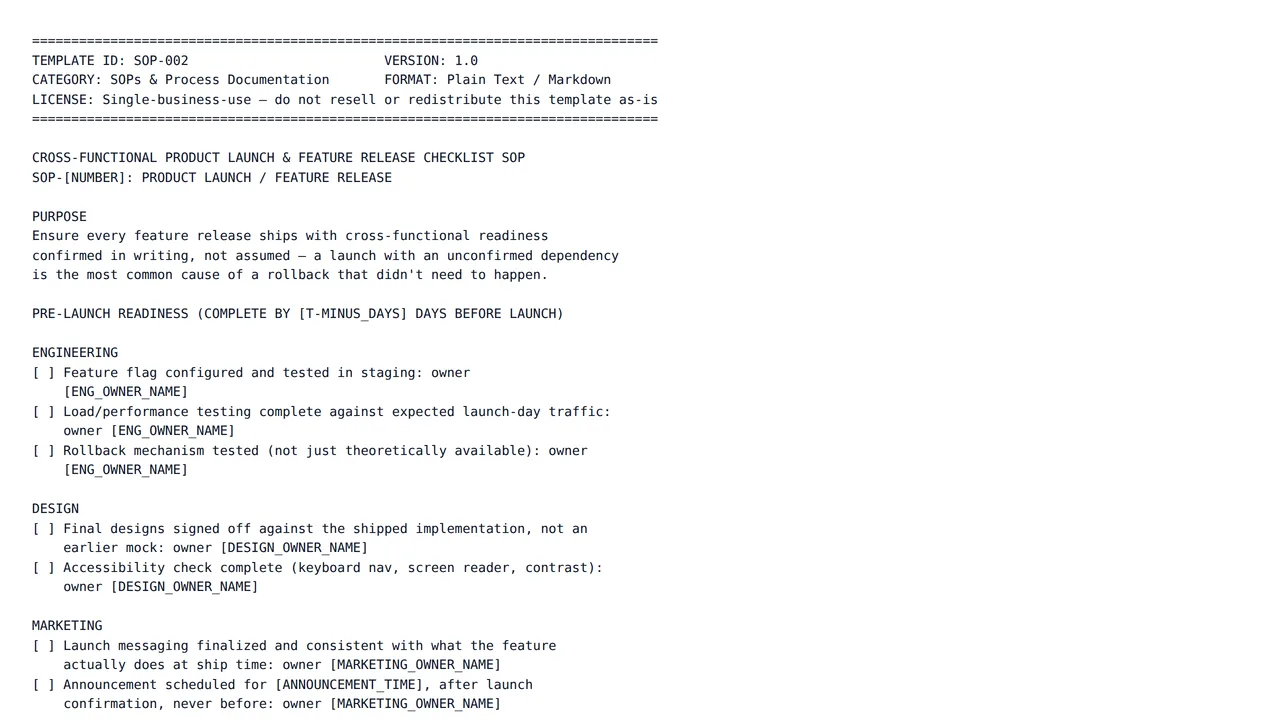
Cross-Functional Product Launch & Feature Release Checklist SOP
$12.00A pre-launch readiness checklist spanning engineering, design, marketing, and support, plus launch-day steps with named owners and times, explicit rollback trigger criteria, and a post-launch monitoring window.
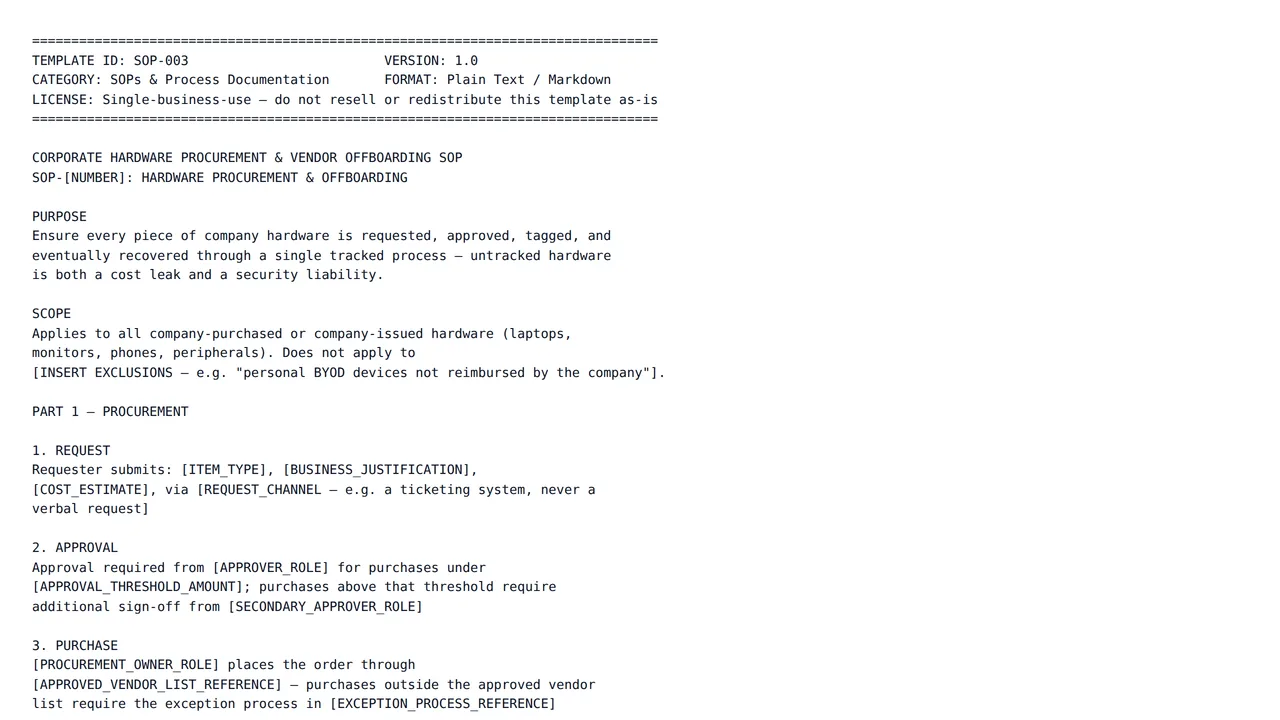
Corporate Hardware Procurement & Vendor Offboarding SOP
$12.00A two-sided SOP: hardware procurement from request through asset-tagging, and vendor/employee offboarding covering hardware return, data-wipe confirmation, and license reclamation.
Frequently asked questions
- Will it know how my business works?
- Only what you tell it. Describe your real tools, roles and order of operations in the modification box — the more specific you are, the closer the rewritten steps will be to how your team actually works.
- What format do I get at the end?
- You get the finished text from the editor to paste into your wiki, shared drive or document tool, so the SOP lives wherever your team already looks for it.
- What does an AI edit cost, and how am I charged?
- Each edit is billed from your platform wallet based on how much AI work that specific edit takes, so a one-line rewrite costs less than regenerating a long section. You are only charged when an edit finishes successfully — if a run fails, nothing is deducted. Every charge appears in your wallet transaction history.
- What happens if a template is not what I expected?
- Wallet credit is spend-only and not automatically refunded, so check the live preview on each template page before you buy. If a template is broken, misrepresented, or breaches our content rules, report it and our team will review it; approved cases are refunded manually by an administrator.
Start with a structure that already works
Browse the category, check a live preview, and make it yours in the same session.