STEM explainers and problem sets, adapted to your topic
Science, maths and technical subjects reward a consistent structure: define the concept, show a worked example, then practise. Buy that structure and adapt each part to your own topic and level.
Who these templates are for
Built for STEM teachers and tutors, students organising their own revision, and technical writers explaining a concept to a non-specialist audience.
The definition, the worked example and the practice problems are separate sections — so you can swap the example for one closer to your syllabus without disturbing the rest.
Concept explainers
A definition, an intuition, and common misconceptions for one idea at a time.
Worked examples
Step-by-step solutions that show the reasoning, not just the answer.
Problem sets
Graded practice questions with answers you can re-level for your learners.
Lab and project write-ups
Aim, method, results and evaluation, laid out ready to fill in.
How to buy with your wallet
Everything on the marketplace is paid for from a single platform wallet. You top it up once, then spend from the balance — on templates and on AI edits alike.
- 1
Add credit to your wallet
Top up once from your wallet page via Stripe. Credit sits in your balance until you spend it — there is no subscription and no card stored against each purchase.
Open your wallet - 2
Pick a template and check the live preview
Every listing renders a real sample of the output in a preview window, plus the exact list of sections you will be able to edit after buying.
Browse STEM templates - 3
Buy — the balance deducts instantly
Free templates are added with one click. Paid templates deduct from your wallet balance and land in your library immediately.
See your library
Before you buy: wallet credit is spend-only and is not automatically refunded. Use the live preview on every listing to check the output first.
How to personalise it with the AI editor
A bought template opens in an editing workspace on the platform, and the AI rewrites it one section at a time — a change to one part never disturbs the others.
- 1
Open the template in your library
Your workspace opens as a split screen: editing controls on the left, a live preview of the result on the right.
- 2
Choose a section
Sections appear as tabs. You edit one at a time, so a long template never becomes a wall of text.
- 3
Describe the change in plain words
Fill in what the section currently says and what you want instead. No prompt engineering, no syntax to learn.
- 4
Generate, review, export
The rewritten section renders in the preview beside you. Regenerate if it is not right, then export when you are happy.
Worked example
You bought a concept explainer template for Newton's second law. You open the Worked Example tab and write: "Currently it uses a car accelerating. Rewrite it with a lift moving upward, and show every unit." The example rewrites; the definition and practice problems stay as they were.
Popular in STEM AI
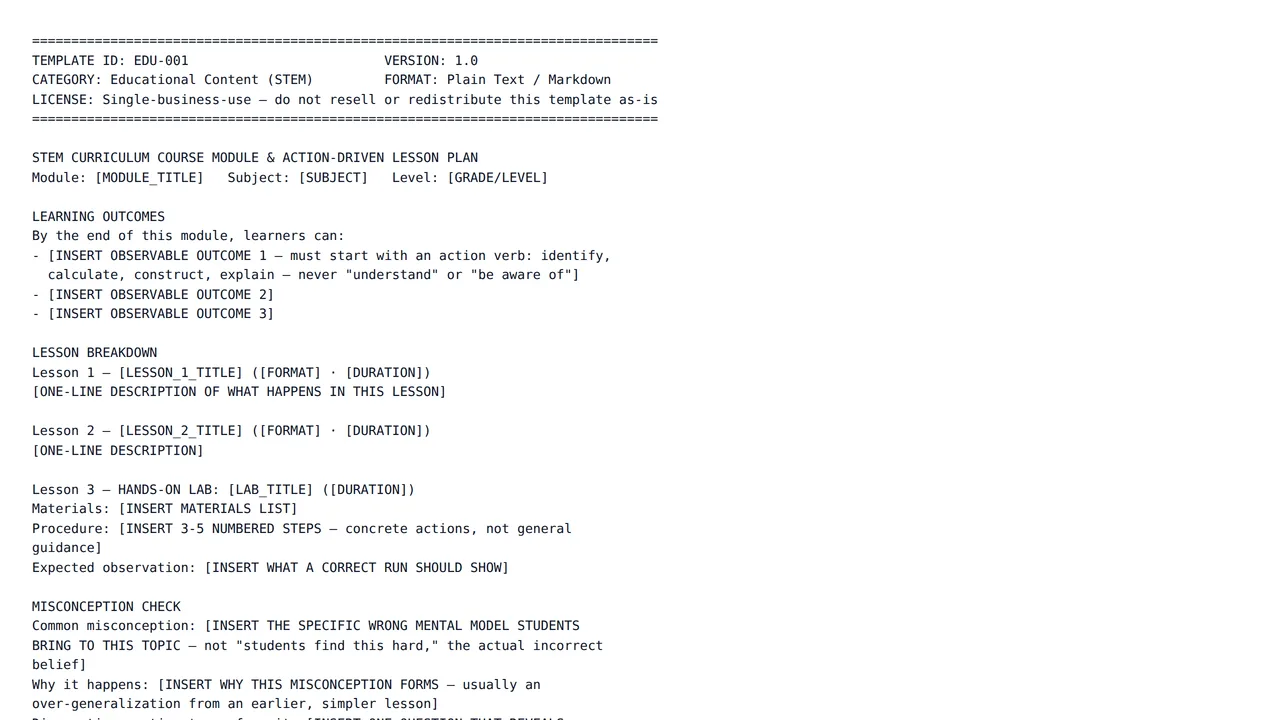
STEM Curriculum Course Module & Action-Driven Lesson Plan
$14.00A full STEM course module: observable learning outcomes, a lesson-by-lesson breakdown with a hands-on lab component, a misconception-check section, and difficulty tiers so one module serves mixed-level classrooms.
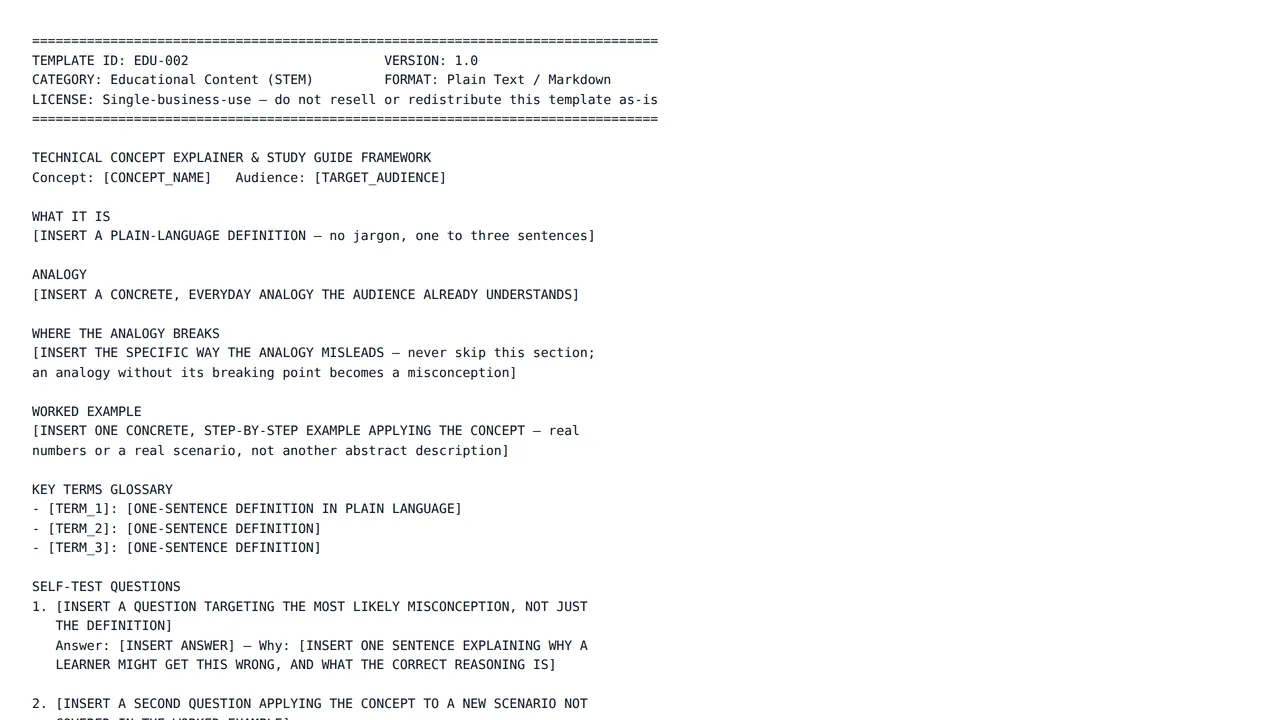
Technical Concept Explainer & Study Guide Framework
$9.00The deep version of a technical explainer: definition, analogy, and where the analogy breaks, extended into a full study guide — key-term glossary, self-test questions with answer rationale, and a worked example.
Frequently asked questions
- Can I trust the maths and science in the output?
- Check it. AI can make calculation and reasoning mistakes, so verify formulas, working and answers before sharing them with learners or relying on them yourself.
- Can I use these for my own studying?
- Yes — the templates work well for organising your own notes and practice. Follow your school or institution's rules on AI use for any work you submit for assessment.
- What does an AI edit cost, and how am I charged?
- Each edit is billed from your platform wallet based on how much AI work that specific edit takes, so a one-line rewrite costs less than regenerating a long section. You are only charged when an edit finishes successfully — if a run fails, nothing is deducted. Every charge appears in your wallet transaction history.
- What happens if a template is not what I expected?
- Wallet credit is spend-only and not automatically refunded, so check the live preview on each template page before you buy. If a template is broken, misrepresented, or breaches our content rules, report it and our team will review it; approved cases are refunded manually by an administrator.
Start with a structure that already works
Browse the category, check a live preview, and make it yours in the same session.