How to Make a Magazine with AI
AI Tapz Team · October 20, 2026
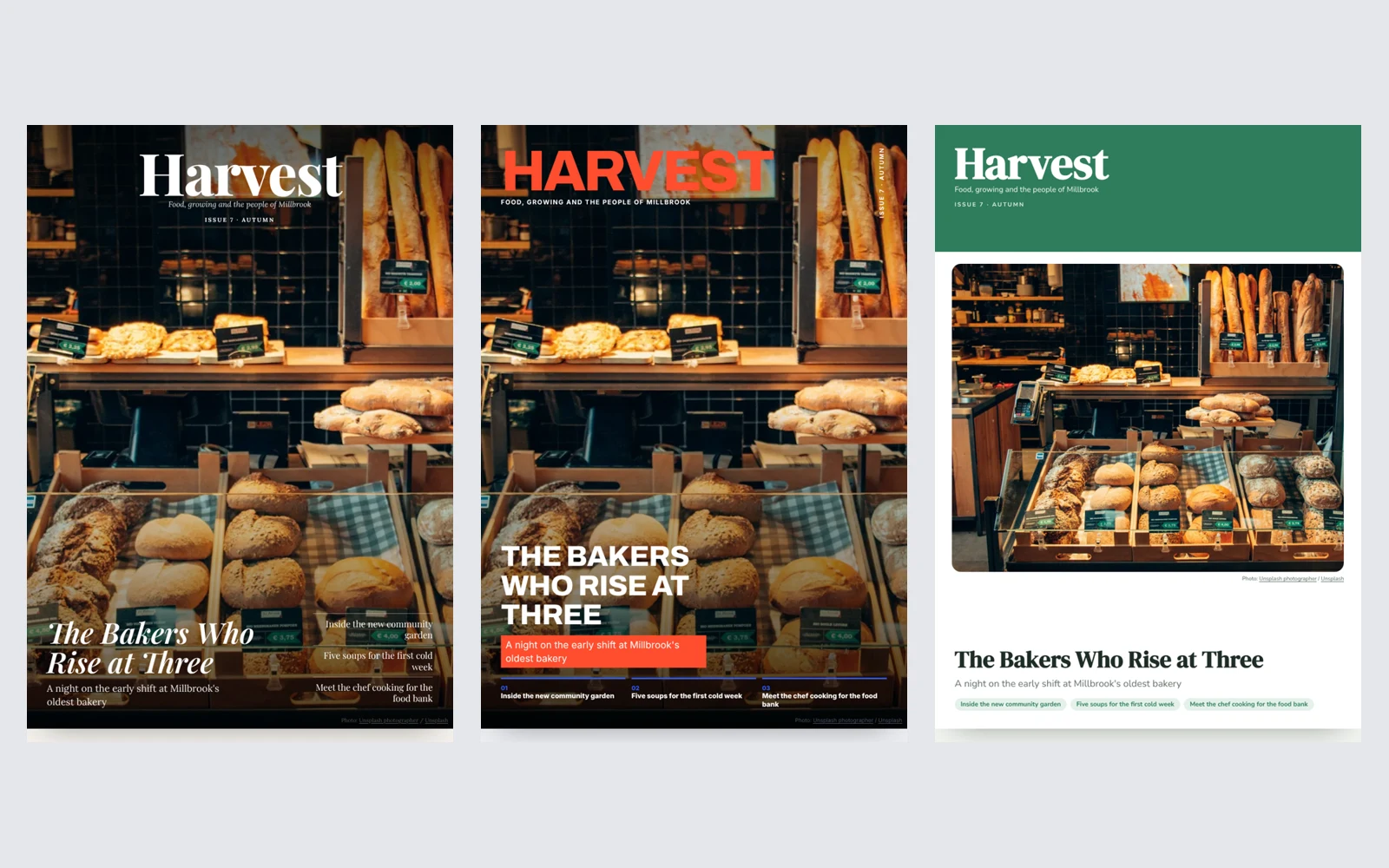
A school magazine, a community newsletter or a company magazine does something a social media feed can't: it gathers a season's stories in one place that people keep, pass around and read properly. The hard part has always been the time it takes to write and lay out. Here is how to plan a good issue, and how to make one in minutes with the AI Magazine Maker.
1. Gather the facts first
Every issue is built on real stories: an event that happened, a person worth meeting, a date coming up. Before you write anything, list them with every detail that must be right — names, dates, places and results. A magazine with a beautiful layout and a misspelled name on the cover does more harm than good.
2. Plan a mix, not a list
Good magazines vary the pace. One strong cover story carries the issue, and around it sit shorter pieces of different kinds: a short welcome from the editor, an interview or a profile, a practical how-to or a recipe, a list of things to try, and news in brief. That mix is what makes readers turn the page rather than skim.
The cover sells the issue: a short headline for the cover story and two or three teasers for what else is inside.
3. Design for reading
- Photos. Every article needs a strong picture. Your own photos of your people and events are best.
- Columns and pull quotes. Narrow columns are easier to read than long lines, and one striking quote set large draws readers into a long article.
- A consistent look. The same fonts, colours and section labels on every page make it feel like one magazine.
- Proofread. Check every name, date and contact detail before you print or send it.
4. Make it with AI
In the AI Magazine Maker you type the kind of magazine you're making — a school magazine, a community or company newsletter, a club, church, travel, food or business magazine — and who reads it. Then you describe the issue: the stories, people and events to include, with the facts that must be right.
The AI proposes the plan: a name for the magazine, the cover story and cover lines, and three to twelve articles of different kinds with what each will cover, plus a back page. Change anything in the chat before you go ahead — another name, a different cover story, an interview instead of a feature. You can also add the issue line, who publishes it and a contact for the back page, and choose a design: Editorial, Bold or Community.
The AI then writes every article in the magazine's voice. It writes around the facts you gave and never invents names, dates or facts about your organisation. Each article and the cover get a real stock photo from Unsplash, chosen for it and credited beside it, and the issue is laid out with a cover, a contents page, columns, pull quotes and sidebars.
5. Edit, then print or share
Open the issue in your Library to change any word, replace a photo with one of your own, recolour the whole magazine or paste in another article. Then save the whole issue as one PDF to print or email, or download it as an EPUB.
Where to start
Open the AI Magazine Maker and describe your issue. To promote an event from it, make a poster with the AI Flyer Maker; for a longer read, try the AI Ebook Maker. The other tools are in AI Services.